

Why a Design System Matters Even More When AI Writes the Code
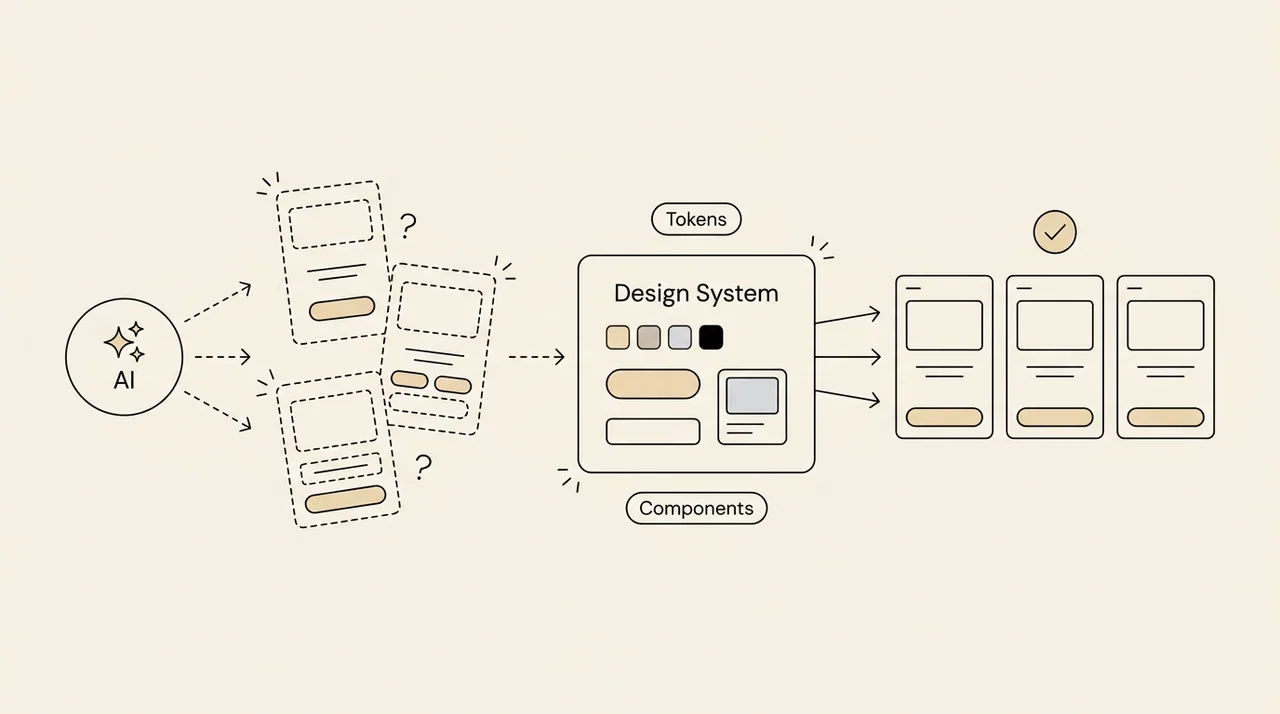
With AI tools you can build a screen in minutes. But does that screen look like the rest of your product?
Most of the time, it doesn’t.
AI is fast, but it doesn’t know your rules
Ask an AI tool for “a login screen” and you get something shaped by the average of the internet. It doesn’t know which button style you use, which spacing values your product allows or which colour means “error” in your interface.
The result works, but it isn’t yours. Every prompt quietly becomes a new exception.
A design system is a contract the AI can read
When the AI knows what already exists in your product, it stops inventing and starts assembling. That context comes straight from the design system:
- Tokens: one source of truth for colour, spacing and typography.
- Component names and APIs: instead of writing a new button, the AI uses Button.
- Usage rules: which component to use, and when.
- Real examples: reference screens the AI can imitate.
What happens without it
Without a system, AI doesn’t only speed up delivery. It speeds up inconsistency.
- Every screen is a little different from the last one.
- Code review turns into a hunt for things that “almost” match.
- Technical debt grows faster than the team can pay it down.
- Designers and developers lose trust in the shared language.
AI increases your speed. Without a design system, it increases your inconsistency at the same speed.
How to do it: five steps
You don’t need a perfect system. You need a system the AI can follow. Do it in this order:
1. Name your tokens by meaning
You don’t want the AI working with a raw colour code like “#0A84FF”. You want it working with meaning. Keep tokens in two layers:
- Primitive tokens hold the value itself: “blue-500 = #0A84FF”, “space-4 = 16px”.
- Semantic tokens say what the value is for: “color-action-primary = blue-500”, “space-card-padding = space-4”.
The rule is simple: screen code only uses semantic tokens. When the brand colour changes, one line changes, and everything the AI built follows.
2. Write a short usage card for each component
The AI knows a component’s name, but not when to use it. Five lines per component are enough:
- What it is for: “The button for the main action on a page.”
- When to use it: “At most one primary button per screen.”
- When not to use it: “Use the destructive variant for irreversible actions like deleting.”
- Required fields: “If it only has an icon, an accessibility label is required.”
- One example: a single snippet showing correct use.
3. Give the AI this context in a project instruction file
Tools like Claude Code and Cursor read instruction files at the root of your project (for example CLAUDE.md or Cursor rules) in every session. Put these in it:
- Where the components live and how they are imported.
- “Do not write raw colour codes, raw pixel values or inline styles. Use semantic tokens only.”
- “Before writing a new component, check the existing ones and use a match if there is one.”
- The path of one reference screen: “New screens should look like this one.”
- If a need has no match in the system, the AI should say so instead of inventing something silently.
Keep the file short. The detail belongs in the usage cards.
4. Don’t leave the rules to people, automate them
An instruction file steers the AI, but it doesn’t guarantee anything. Tooling does:
- A lint rule: if a raw colour code or fixed pixel value enters the code, the build warns.
- A component catalogue: a tool like Storybook keeps components live and testable.
- Visual regression tests: if a component changes by accident, the difference is caught.
- A pull request checklist: “Is this screen built with components from the system?”
5. Start small and measure
Don’t move the whole product in the first week. Take one flow, such as sign-up, and bring it onto this setup. Then track two numbers:
- How many raw colour and spacing values still appear in your screens.
- How many “new component” requests arrive each sprint.
If the first number is falling and the second arrives with solid reasons, the system is working well with AI.
Conclusion
What separates the teams that get real value from AI isn’t the model they use. It’s the context they give it.
A design system is your product’s instruction manual, written for people and for AI. Teams without one produce fast and drift fast. Teams with one produce fast and stay consistent.
AI writes the code. The design system decides what your product looks like.