

MVP Design System: How to Build the Smallest Usable Design System
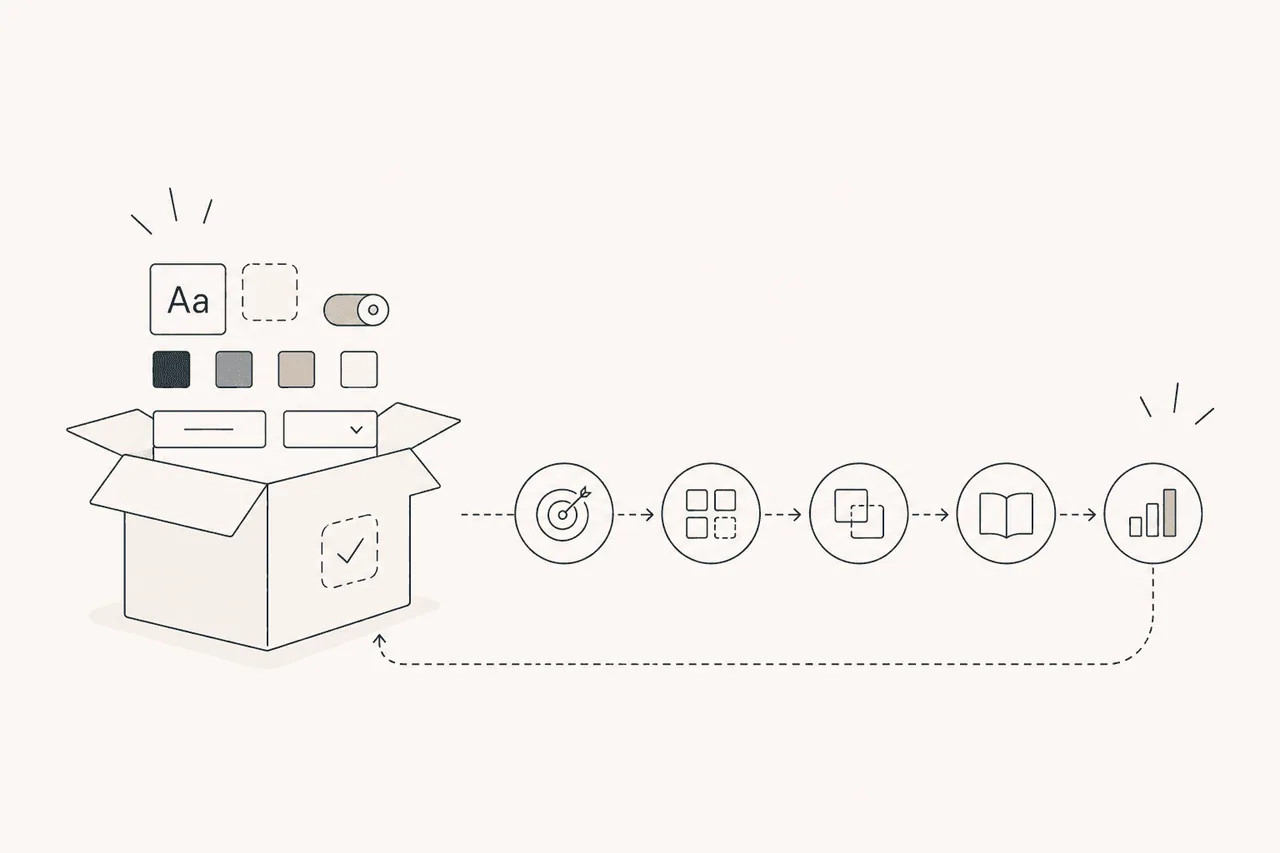
Waiting for every component to be ready before launching a design system usually delays it. The MVP design system approach focuses on creating value quickly by first building the core pieces teams need most.
The goal isn’t to start with a flawless system, but to create a foundation that is usable, measurable and able to grow over time.
One of the most common traps teams fall into when building a design system is trying to solve everything in the first version.
Button, input, modal, table, chart, empty state, toast, navigation, spacing system, colour tokens, documentation, contribution model… The longer the list, the later the system ships.
For many teams, though, the right starting point isn’t a comprehensive design system but an MVP design system.
What is an MVP design system?
An MVP design system is the smallest usable system a team needs to design and build consistent product interfaces.
The goal isn’t to cover every possible need. It’s to standardise the decisions that repeat most often today and create a foundation teams can use straight away.
In other words, an MVP design system doesn’t start from “we might need this later”, but from the question “which problems do we keep having to solve over and over right now?”
Why might the MVP approach be the better one?
Because a design system’s value isn’t measured by how comprehensive it is, but by how early it starts being used.
A small system that ships in two weeks and becomes part of the teams’ real workflow is far more valuable than a big one prepared for months that nobody uses.
The MVP approach gives the team three advantages: a faster start, earlier feedback and less wasted work.
Once the system is used on real projects, it becomes much clearer which components are missing, which rules aren’t understood and which decisions are unnecessary.
What should the first version include?
The scope of an MVP design system depends on the company’s product, team structure and existing design debt. For most teams, though, the starter set consists of a few core pieces.
1. Core design decisions
If basic decisions like colours, typography, spacing, radius and shadows aren’t clear, component production will be inconsistent too.
So the first step is to define the visual decisions every screen needs again and again, using tokens. You don’t need hundreds of tokens. To start with, primary colours, text colours, backgrounds, basic spacing values and a few typography styles can be enough.
2. The most used components
In an MVP design system, components should be chosen by how often they’re used, not by assumptions.
Usually pieces like button, input, select, checkbox, card, badge, alert and modal are enough for the first version. If your product is table-heavy, the table component may be a priority. If you have a lot of onboarding flows, steppers or form patterns become more critical.
What matters isn’t growing the component list, but solving problems that genuinely repeat.
3. Usage rules
A component existing doesn’t mean it will be used correctly.
That’s why even at MVP level you need short usage notes. When is a button primary? Where is an error message shown on an input? What goes into an empty state? When is a card clickable?
Documentation doesn’t have to be long. In the first version it’s actually better if it’s short, clear and example-driven.
4. Matching design and development
If the design system only exists in Figma, it solves half of the product development process.
Even at MVP level there should be a basic match between the design component and the code component. Names, variants and states should speak the same language. Otherwise the design system remains nothing more than the design team’s tidy-looking file.
How do you get an MVP design system started?
To start, you don’t need a big roadmap; you need the right order.
1. Audit the existing product
The first step isn’t producing new components. It’s analysing the repeating patterns, inconsistencies and most used interface pieces in the current product.
How many different button styles are there? Do form fields behave the same way? Are spacing decisions consistent? Is the same message shown differently on different screens?
This audit is the most reliable source for defining the MVP scope.
2. Pick the area with the highest impact
Instead of trying to standardise the whole product at once, it’s better to pick the area that repeats most and creates the most visible inconsistency.
In a SaaS product, for example, form structures and dashboard cards may be critical. In an e-commerce product, product cards, filters and checkout components may come first.
An MVP design system doesn’t cover everything; it starts where it will have the most impact.
3. Ship small, learn fast
Once the first version is out, get feedback from the teams. Can people find the components? Are the variants sufficient? Is the documentation clear? Can developers use the same structure in code?
This feedback defines the scope of the second version. That way the system grows on real usage data rather than assumptions.
What not to do in an MVP design system
The MVP approach means simplicity, not carelessness.
You don’t have to build every component in the first version. But the names, variants and usage logic of the components you do build must be consistent.
It’s also a mistake to position the MVP design system as a temporary file. The first version can be small, but it has to be something you can build on.
The biggest mistake is preparing the system in isolation from the team. A design system is adopted to the extent that the people who will use it are involved in the process.
How do you measure success?
An MVP design system’s success shouldn’t be measured by how many components were produced.
More meaningful metrics are: the share of newly designed screens that use the system, fewer repeated design decisions, improvement in development time, fewer custom solutions outside the components and the quality of feedback from the teams.
If teams using the system make decisions faster, argue less and produce more consistent interfaces, the MVP design system is doing its job.
Conclusion
An MVP design system isn’t a small version of a big, flawless system. It’s a strategic starting point that solves the right problems early, becomes part of the teams’ daily workflow and can grow over time.
A design system doesn’t need to be complete from day one to succeed. It needs to be usable.
Because a small system that’s used is always more valuable than a big one that isn’t.